
Visual Simulation & Software Design
High-Fidelity Visual Systems and Simulation Software for Professional Training
DOFracing provides visual simulation and software design solutions tailored for professional training simulators.
Our capabilities cover the complete software development workflow, from 3D scene modeling and real-time rendering to scenario configuration and instructor control systems.
All visual and software components are designed to support realistic, repeatable, and measurable training outcomes.
Visual Simulation Scenario System
It is built upon the core “Instructor-Student” architecture. It targets scenarios such as education, training, and skill assessment. Through high-fidelity visual presentation and real-time simulation computing, the System integrates immersive operation, data-driven evaluation, and collaborative training. Its core value lies in translating abstract operational procedures and physical principles into intuitive interactive visual scenarios. Simultaneously, through precise data collection and analysis, it enables scientific assessment of trainees’ skills. The System supports various training modes, including individual practice and multi-user collaborative training
Layered Architecture Diagram of the System

Art Design Document
Scenario Design
- Scenario Layering: Scenarios are layered into “background, midground, foreground”. Backgrounds use low-precision textures (e.g., skybox, distant mountains), midground employs simplified models (e.g., environmental buildings), while the foreground (area around interactive objects) maintains high-fidelity details.
- Dynamic Adaptation: The system supports automatic adjustment of scenario detail based on terminal performance (e.g., loading light and shadow effects on high-end devices, disabling real-time shadows on low-end devices).
- Interactive Association: Scenario elements are bound to simulation logic (e.g., "pedestrians and vehicles" in a road scenario correspond to the movement of models within the scene and fluid effects like water on the ground).
Technical Specifications
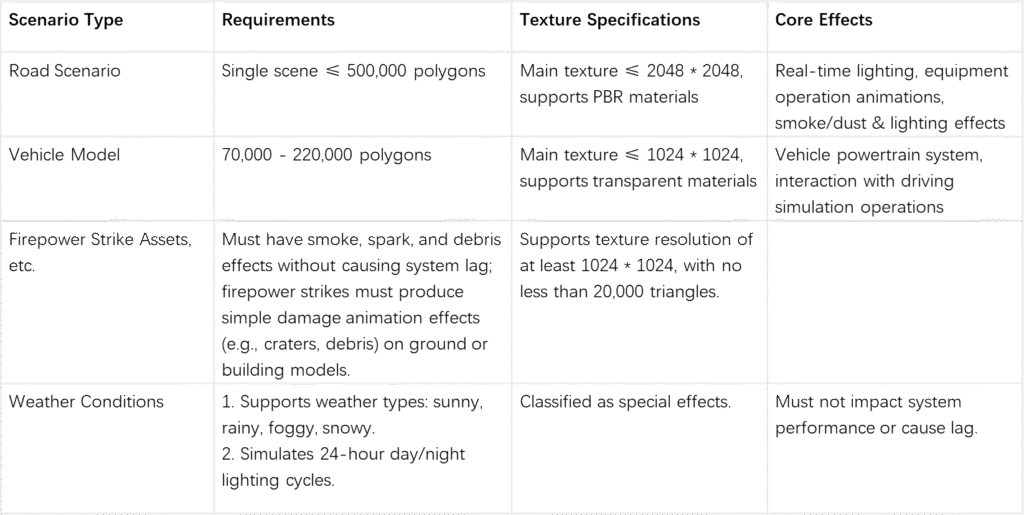
Model Design
- Scenario Reproduction: Models like roads and buildings should be close to 1:1 scale reproductions of width, height, and length.
- Classification and Requirements Models are categorized as "Interactive Objects", "Environmental Objects", and "Auxiliary Objects", with core focus on the accuracy and interactive adaptability of Interactive Objects.
- Animation Binding: Independent animation controllers are added for characters and objects (e.g., "open/close" animation for vehicle access barriers, character animations).
- Collider Adaptation: Precise colliders are added to interactive areas (e.g., capsule colliders for buttons, spherical colliders for knobs) to ensure accurate operation recognition
Performance Optimization Strategies
- Model Polygon Reduction: Utilizing LOD (Level of Detail) technology to load high-precision models during interaction and automatically switch to low-precision models when distant.
- Material Reuse: Shared material balls are used for devices of the same type to reduce the number of Draw Calls.
- Instanced Rendering: Instanced rendering is applied for batch processing of repetitive objects to reduce GPU load.
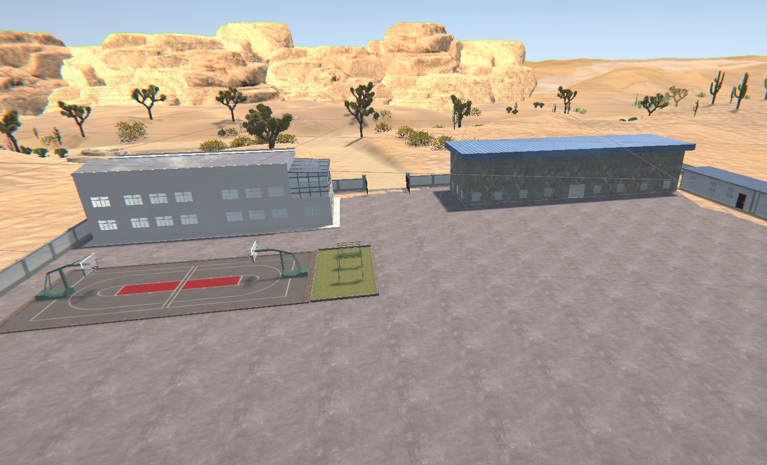
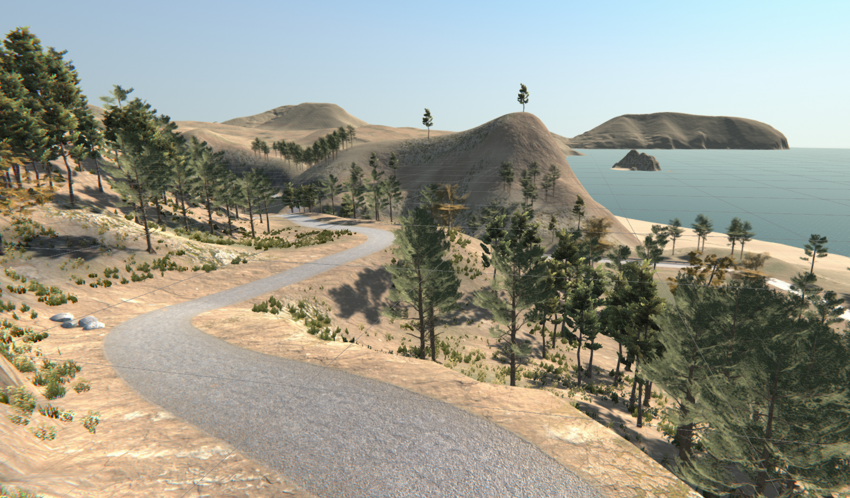
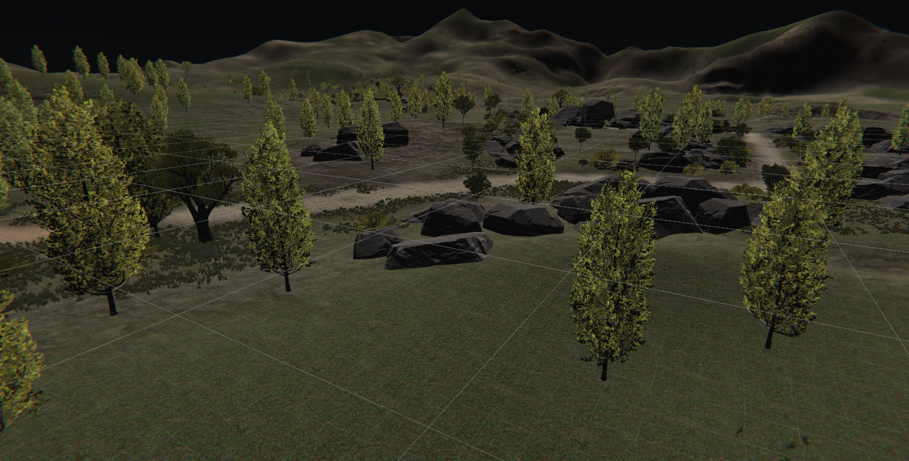
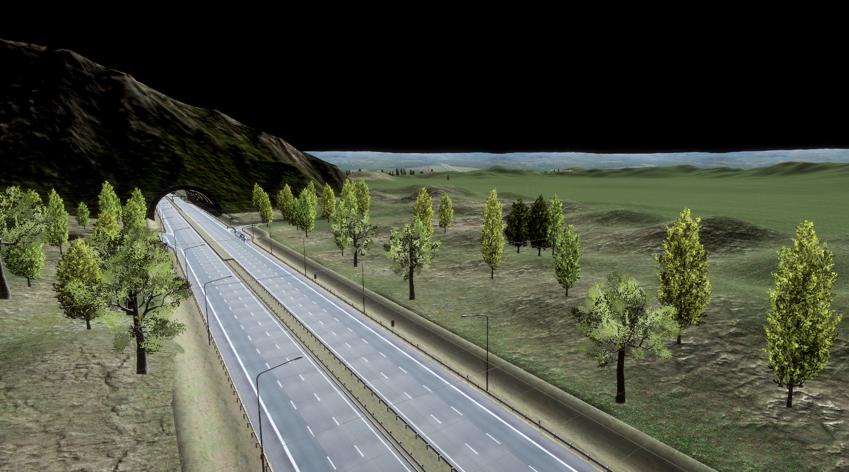
Scenario Demonstration
Program Design Plan (Front-end + Back-end)
Front-end Design
1. Visual Rendering Module
- Function: Loads art assets, implements scene rendering optimization, and dynamically presents simulation effects.
- LOD System: Configures 3-level LOD (High/Medium/Low detail) for scenes and models, automatically switching based on camera distance.
- Light Baking: Applies baked lighting for static scene elements, and real-time lighting for dynamic elements, balancing visual quality and performance.
- Post-Processing Effects: Adds effects like anti-aliasing, depth of field, and color correction as needed to enhance the visual experience.
2. Interaction Control Module
- Function: Receives user input (mouse/keyboard/VR controllers), parses the input commands, and drives model interactions and simulation logic.
3. Online Synchronization Module
- Function: Implements state synchronization between the instructor and student clients, and among student clients, supporting multi-user collaborative operations.
- Data Synchronization Strategy: Core operational data (e.g., equipment status, assessment progress) is synchronized in real-time, while non-core data (e.g., camera angles) is synchronized on-demand.
Back-end Design
4. Simulation Computing Service
- Receives operation commands from the front-end, executes simulation logic calculations, and returns the results.
- Modular Packaging: Encapsulates simulation logic for different industries into independent modules (e.g., "Industrial Fluid Simulation Module", "Medical Surgery Simulation Module"), supporting on-demand loading.
- Real-time Assurance: Utilizes multi-threaded computing, separating simulation tasks from communication tasks to ensure a single-task calculation delay of ≤50ms.
- Boundary Validation: Performs validity verification on operational parameters passed from the front-end (e.g., "valve opening angle does not exceed 90°") to avoid invalid calculations.
5. Assessment & Evaluation
- Data Collection: Records the four key elements of trainee operations in real-time: "Time, Action, Parameter, Result". Example: "2024-10-01 10:00:05, Open Valve A, Angle 30°, Pressure Standard Met".
- Example Metric Types (Driving Scenario) and Scoring Rules (Configurable): Stalling the vehicle during operation: -10 points; Hitting the line during reverse parking: -30 points; Using a high gear for low-speed forward movement: -50 points, etc.
- Scoring Process: Real-time data collection → Comparison with preset metrics → Dynamic score calculation → Generation of a process report, supporting real-time viewing and final adjustments by the instructor.
- Report Content: Includes "Operation Trace Chart, Score Breakdown, Record of Incorrect Operations, Skill Gap Analysis". Example: "The trainee committed 2 violations during the 'Valve Opening' step (failed to confirm pressure), corresponding to the 'Operational Safety' deduction category. Recommendation: Focus training on the 'Pre-operation Check Procedure'."
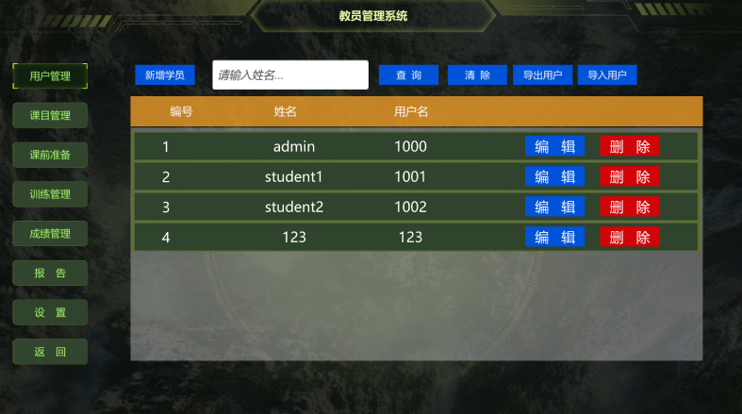
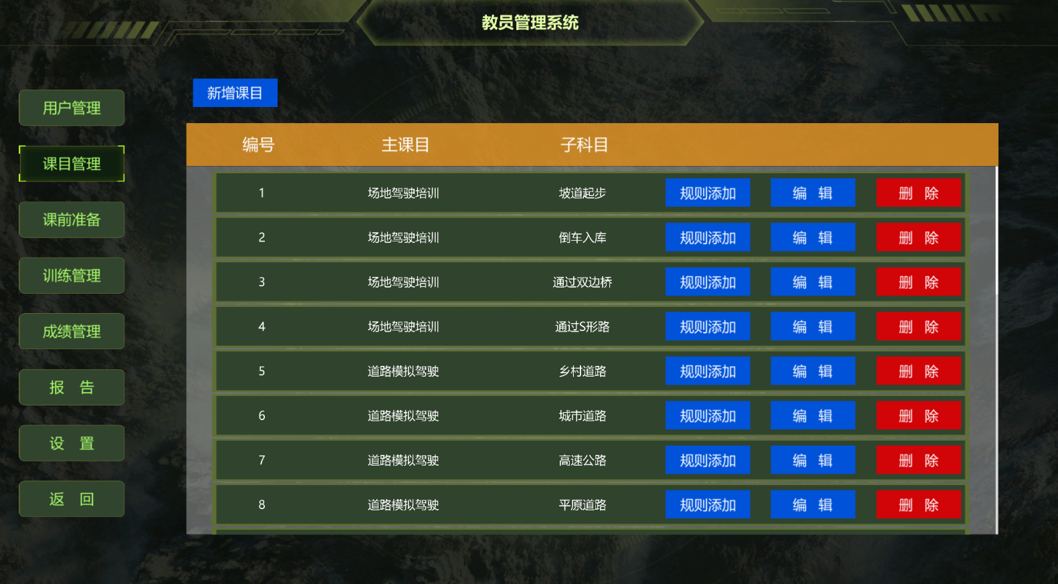
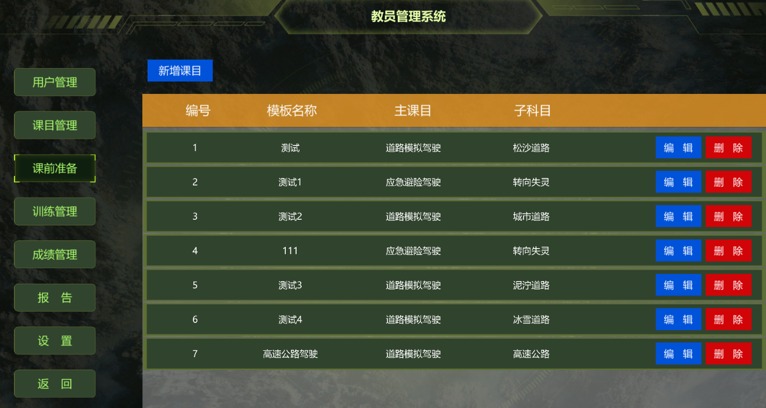
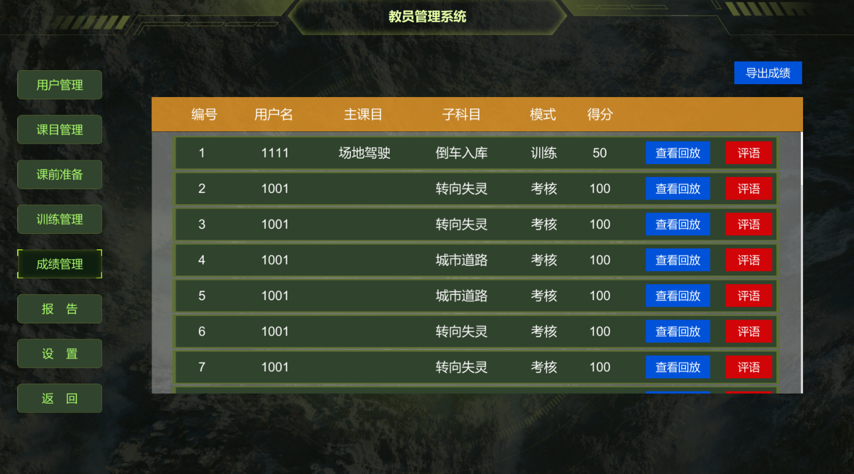
6. Interface Display
Training Simulation Software——Custom&Develop
To meet customers’ personalised needs, DOFracing motion simulator software offers customised development services. Whether it’s driving scenarios, dynamic models, or specific training modules and interfaces, every feature can be adjusted to reflect real-world conditions and operational requirements.
Especially in the field of driver training, our development team works closely with clients to integrate customised features, data analysis, and simulation environments. This ensures the realism and efficiency of the DOFracing training simulator, providing significant value in helping clients meet industry standards.


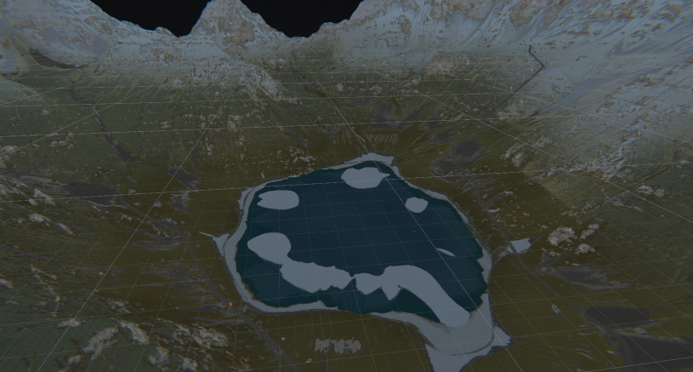
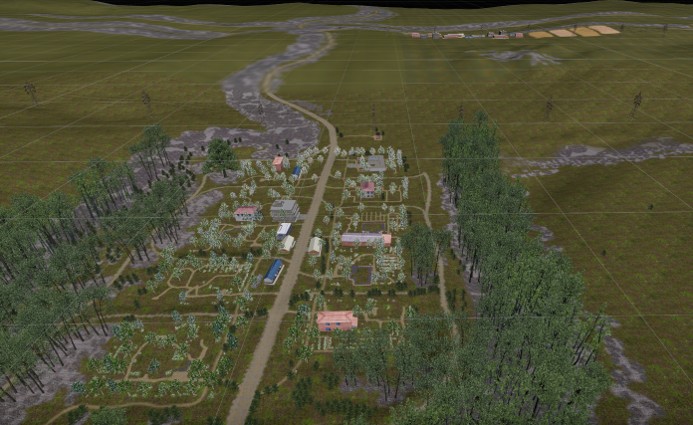
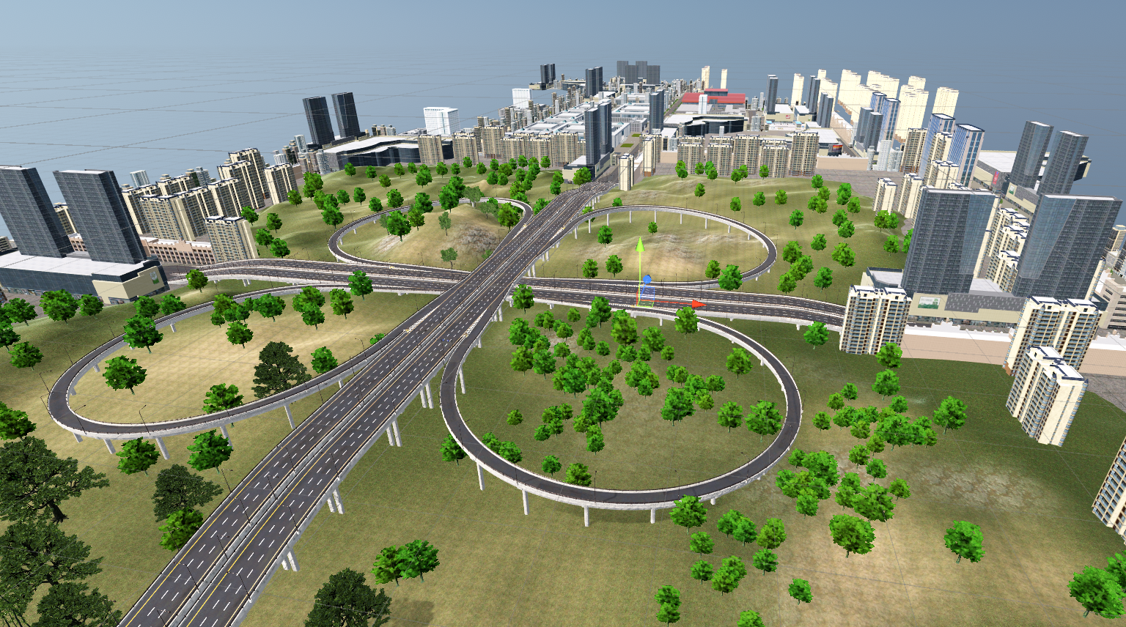
Realistic Scenarios Software
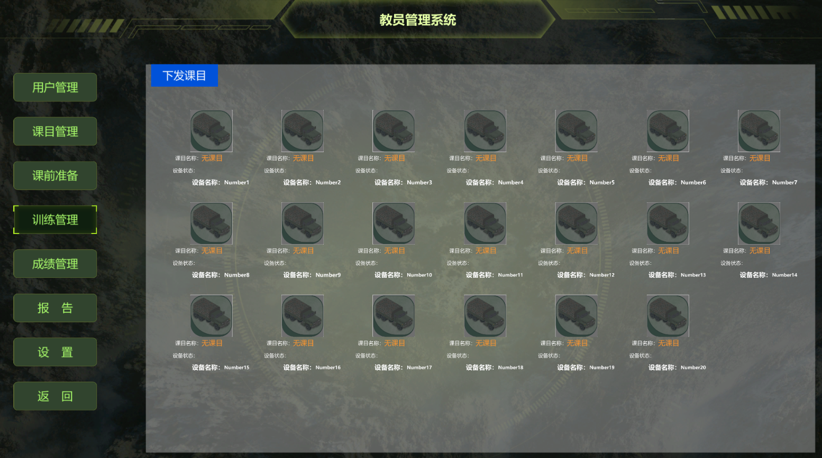
Realistic scenarios software development constitutes a pivotal component of driving training simulators.
Through high-precision three-dimensional modelling and real-time rendering technology, it constructs lifelike representations of roads, buildings, vehicles, and environmental settings.
This software not only simulates diverse traffic flows and weather conditions but also generates complex driving tasks and emergency scenarios, delivering an immersive driving experience for trainees.
Instructor Station Software
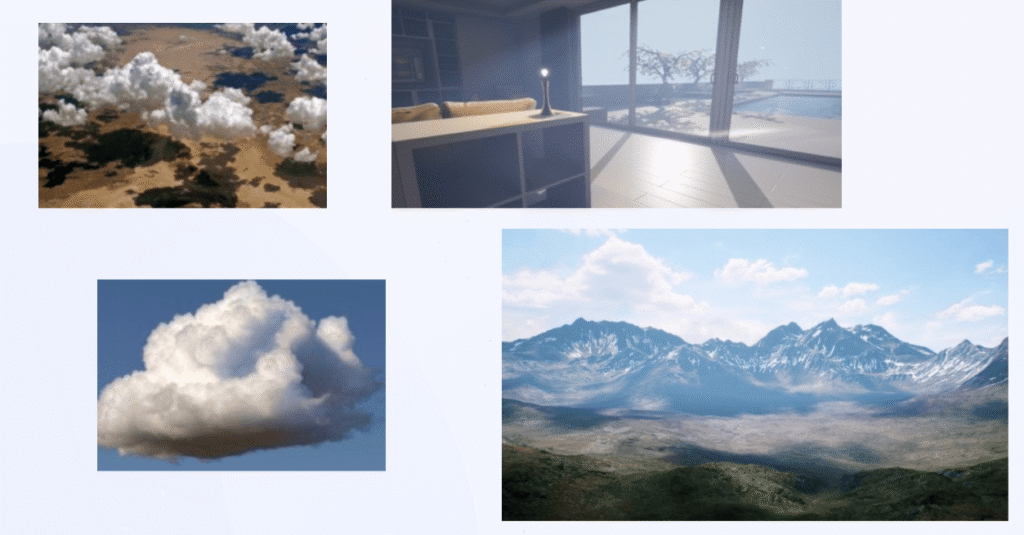
The content control software for driving simulators serves as the central management system that integrates and regulates all aspects of the simulation environment.
It provides administrators and instructors with intuitive tools to design, customize, and manage driving scenarios, including road layouts, traffic conditions, weather settings, and vehicle dynamics.
With real-time monitoring and control functions, motion simulator software allows for adjustments during training sessions, ensuring that each scenario can be tailored to the learner’s progress and objectives.
It also supports data recording and performance analysis, enabling instructors to evaluate driver behavior, response times, and decision-making under varying conditions. By offering seamless coordination between hardware, simulation content, and user interaction, the content control software ensures a highly flexible, realistic, and effective training experience.
Software of Platform Manager
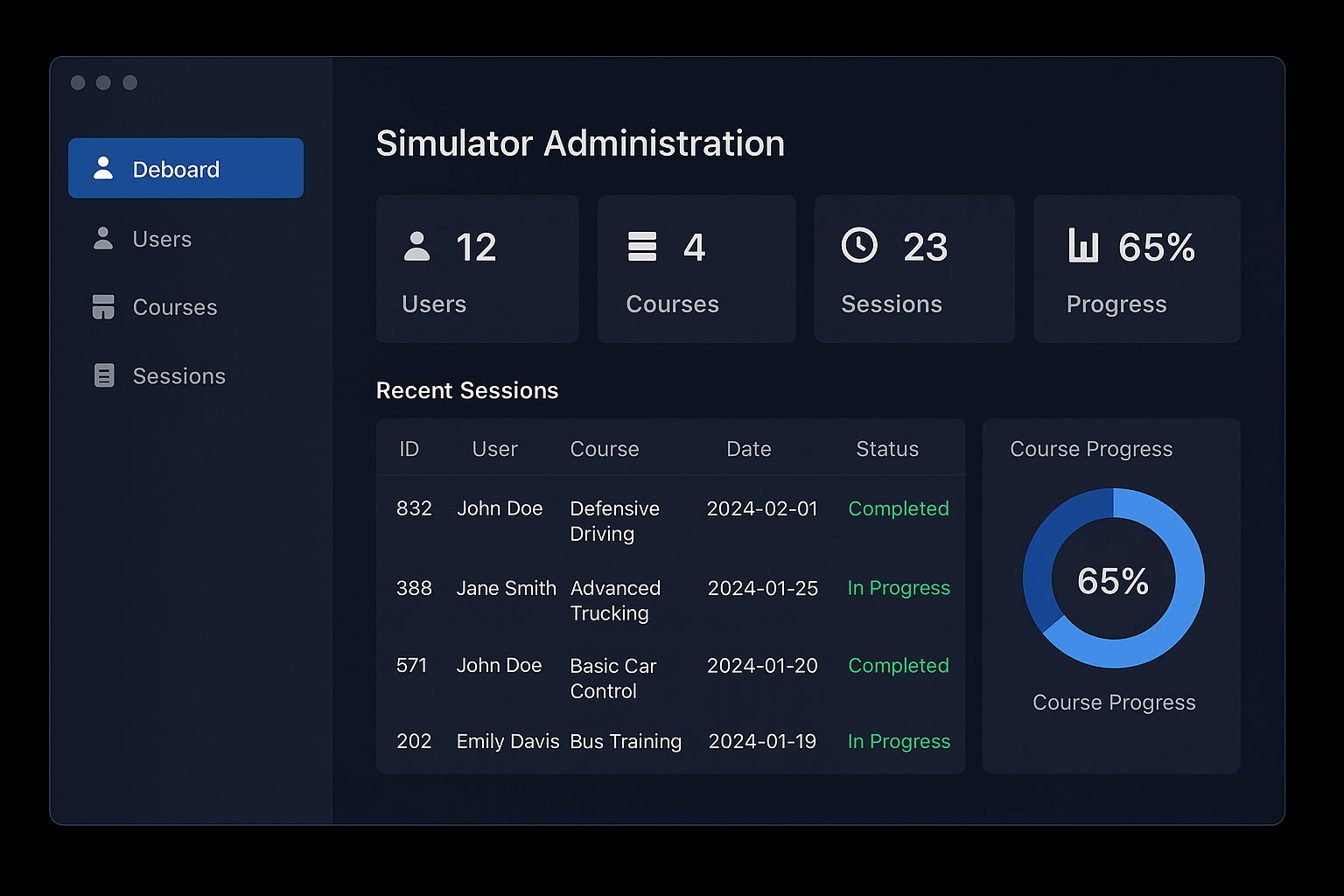
software of platform management constitutes one of the core components of a driving simulator.
The system supports deep integration with chassis, dynamic models, and visualisation software, enabling precise representation of driving nuances such as throttle response, braking force, and steering damping.
Through modular design, the vehicle system flexibly adapts to diverse simulator platforms including saloon cars, lorries, buses, and specialised vehicles.
This empowers trainees to gain near-authentic driving experiences within virtual environments, enhancing both the immersiveness and practicality of training.
Why Choose Us?
We design and manufacture advanced driver training simulators to create safe, cost-effective, and immersive training environments for driving schools, transport companies, research institutes, and military organizations.
- Realistic motion and visual systems
- Adaptive to different vehicle types and training needs
- Proven experience with international clients
- Safe, cost-effective, and environmentally friendly
- Possesses a professional R&D and manufacturing team
- Have capabilities underpinning defence industry development